Introducing MemorySync: Memory for AI Applications
MemorySync is a hosted memory API. Your app stores what it learns about each user and gets the relevant memories back later, ranked by meaning and scoped to that user.
Published on 5 min read
On this page
A language model keeps nothing between requests. If Sam tells your coaching app on Monday that a knee injury rules out running this month, the model has no trace of that on Tuesday unless your application sends it again.
The common workaround is to replay the conversation: store the transcript and send it with every request. That holds up inside one session. It gets more expensive with every turn, and the next session starts without it.
A product that knows its users needs a different kind of storage: a small set of things worth remembering about each person, kept outside any one session and found again when they matter. Today we are launching MemorySync to be that storage.
What MemorySync is
MemorySync is a hosted memory API for AI applications. Your agent writes what it learns about each user, and MemorySync returns the relevant parts later, ranked by meaning and scoped to that user.
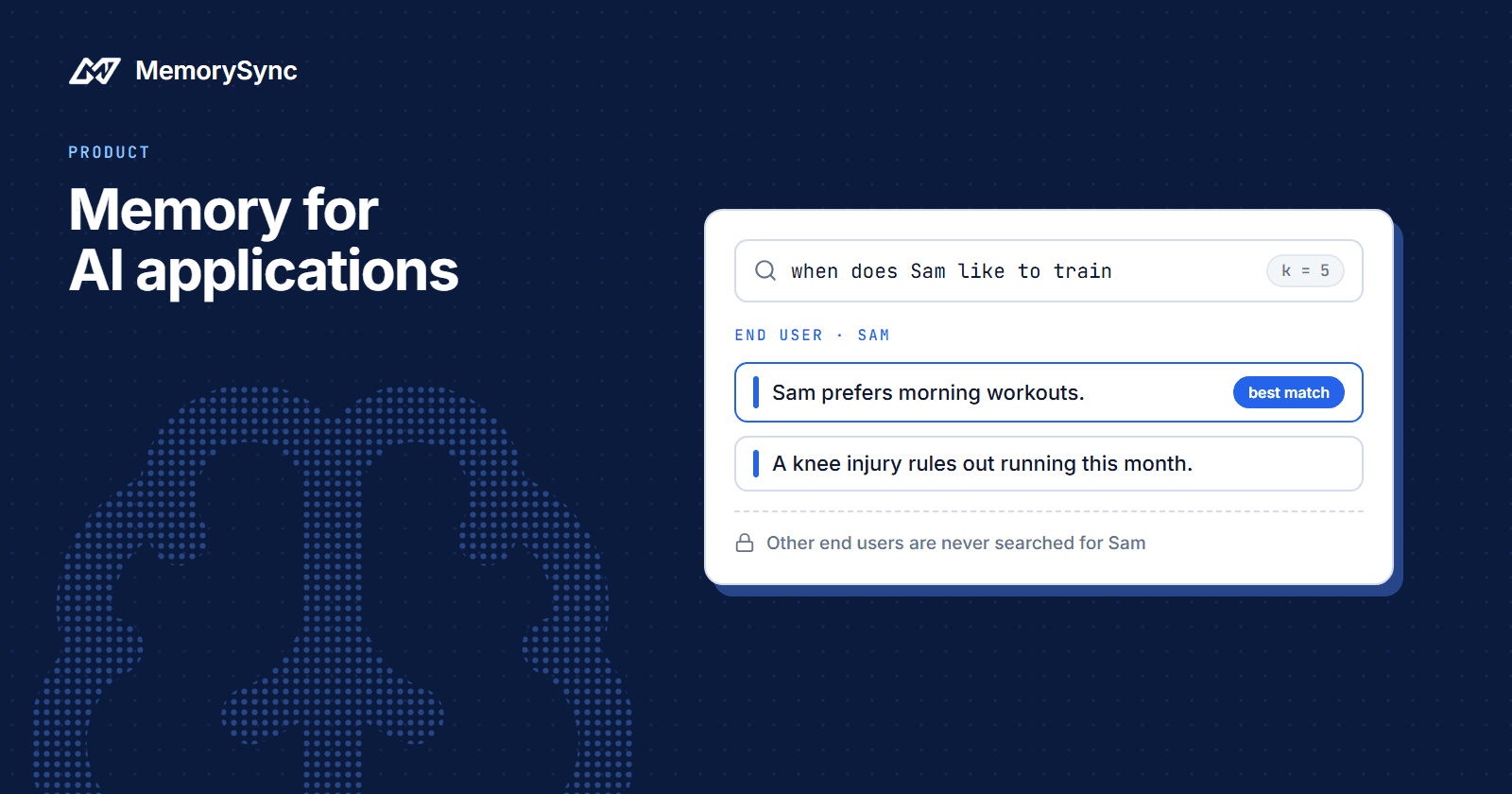
Ranked by meaning means a search does not need to share words with what was stored. If your app saved that Sam prefers morning workouts, a later search for when does Sam like to train can find it, because the two say the same thing in different words.
Scoped to that user means every memory belongs to one organization, one project and one end user. A search for Sam looks at Sam's memories plus the content your organization shares through connectors. Other end users' memories are never searched on Sam's behalf.
What ships today
The first release includes:
- A REST API. Every operation is an HTTPS call to
https://api.memorysync.io, authenticated with an API key in theX-API-Keyheader. - A Python SDK.
pip install memorysync, thenfrom memorysync import MemorySyncClient.AsyncMemorySyncClienthas the same methods for async code. - A TypeScript SDK.
npm install memorysync-sdk, with the same operations in camelCase. - Scoping on every call. Each API key belongs to one organization, each request resolves to one project, and each memory call names the end user it acts for.
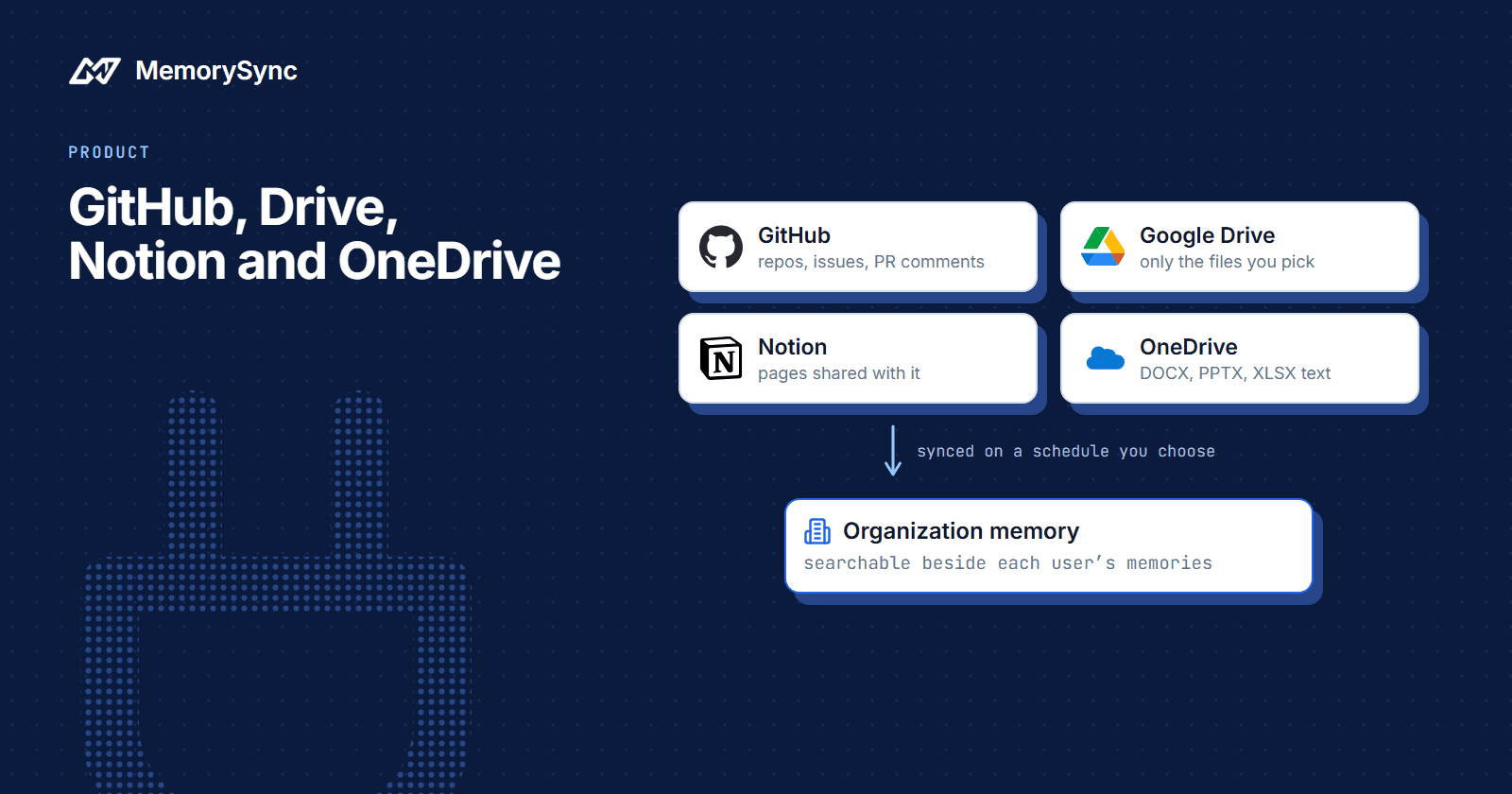
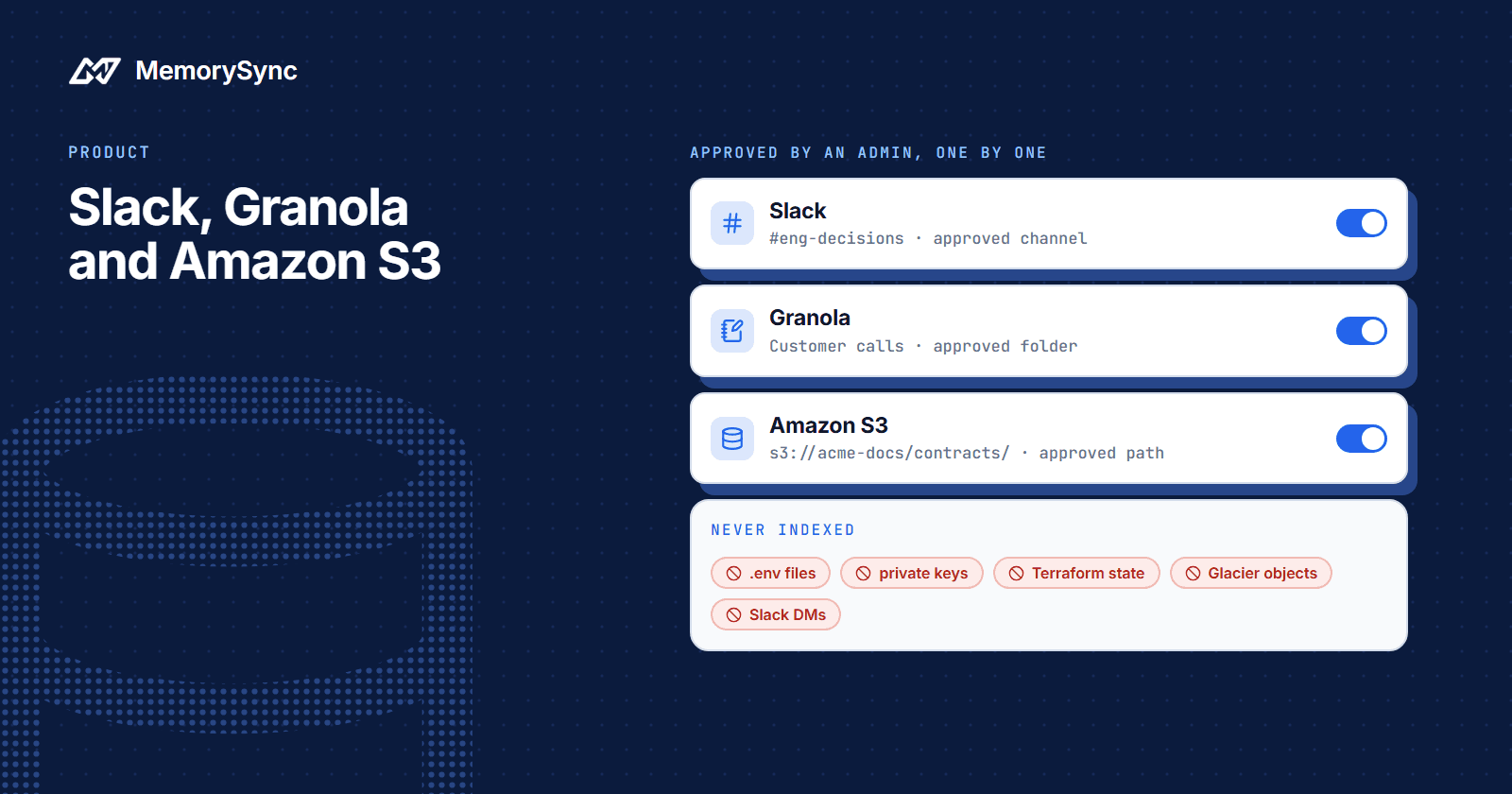
- Connectors for GitHub, Google Drive, Notion and Microsoft OneDrive. They bring content your team already keeps in those tools into memory that the whole organization can search.
- A dashboard at
https://app.memorysync.io, where you create projects and API keys and browse what has been stored.
Each SDK method maps to one HTTP route. add() is POST /memory/add and query() is POST /memory/query. get(), update() and forget() read one memory, change its tags and metadata, and delete memories.
Errors are typed, so your code can branch on them. A bad key raises AuthError, a malformed request raises ValidationError, and RateLimitError carries retry_after_seconds so your code knows how long to wait. Every error also carries the server's request_id, which is what support will ask you for.
The loop in code
Most integrations come down to two calls. After a conversation teaches your app something lasting, write it. Before the model answers, search.
from memorysync import MemorySyncClientms = MemorySyncClient(api_key="...", # sent as X-API-Keybase_url="https://api.memorysync.io",end_user_id="sam", # sent as X-End-User-ID# project_id="proj_<16 hex>", # only for organization-wide keys)# After a conversation teaches you something lastingms.add("Sam prefers morning workouts.")# Before the model answersresult = ms.query("when does Sam like to train", k=5)for m in result.memories:print(m.id, m.text)
The memories that come back go into your prompt as context about Sam. Nothing else about your model call changes.
Three habits make this work well from the first day:
- Keep `k` small. Five relevant memories give a model a focused brief. Fifty loosely related ones bury the one that matters.
- Label memories as context. Put them in the prompt as information about the user, separate from your instructions, so the model weighs them as facts rather than following them as commands.
- Write lasting things. A preference, a constraint or a goal is worth storing. A greeting is not.
The TypeScript SDK reads the same way:
import { MemorySyncClient } from "memorysync-sdk";const ms = new MemorySyncClient({apiKey: process.env.MEMORYSYNC_API_KEY!,baseUrl: "https://api.memorysync.io",endUserId: "sam",});await ms.add({ text: "Sam prefers morning workouts." });const { memories } = await ms.query({ query: "when does Sam like to train", k: 5 });
Keep the API key on your server and call MemorySync from your backend. Browser code should never hold the key.
Every call names an end user
Memory that mixes up two people is worse than no memory at all. MemorySync makes the end user part of every request:
- A key created while a project is selected is locked to that project. An organization-wide key must send
X-Project-ID, which isproj_followed by 16 hexadecimal characters. - Every API-key call must name an end user, in the
X-End-User-IDheader or anend_user_idbody field. A call without one gets a 400 with the codeMISSING_END_USER_ID. - End-user ids longer than 128 characters are rejected with
INVALID_END_USER_ID. - The environment comes from the key, never from the request body. A development key and a production key see different data.
- Reads, searches and deletes reach only the named end user's memories, in that project and environment.
In practice, a memory stored for end user alex does not come back when your app searches as sam, and the same search sent as alex returns it.
Use a stable, opaque id from your own system for each end user rather than an email address. Changing the id gives that person a new, empty memory scope. The scopes guide explains the model in full.
You can also pass a session_id to group the memories from one conversation. It is a label for grouping and does not limit who can read them. The end user is the boundary.
What MemorySync is not
Knowing where a product stops saves you an evaluation, so here are the edges:
- A vector database you run. There is no index to provision and no similarity search to tune. If you would rather own every layer and you already run Postgres, pgvector is a sound choice, and you will then build the scoping and ranking yourself.
- Self-hosted. MemorySync is a managed service, and there is no self-hosted edition. If your data must stay on infrastructure you operate, look at Mem0's open-source library instead. Our SDKs are open source under the MIT license; the server is not.
- A chat-history store. MemorySync holds memories about a user and returns the relevant ones. If your interface shows past conversations message by message, keep those messages in your own database.
Two facts for anyone reviewing the service: all traffic is HTTPS only, and MemorySync does not train models on your memories.
Start building
There is a free tier, so you can run the loop above on your own data before deciding anything. Create an API key, then follow the quickstart to store a fact and ask for it back.