New Connectors: Slack, Granola and Amazon S3
Slack, Granola and Amazon S3 connectors are live. Each reads only what an administrator approves, redacts credentials before indexing and has limits worth knowing.
Published on 6 min read
On this page
The reasoning behind Acme's refund policy is spread across three places: a Slack thread where support and finance argued it out, a recorded customer call, and a PDF in an S3 bucket. An agent that can search only Notion and Google Drive misses all of it.
We shipped connectors for those places last week: Slack on August 5, Granola on August 6, and Amazon S3, including S3-compatible storage, on August 7. They join the GitHub, Google Drive, Notion and OneDrive connectors and follow the same model. Content you approve becomes organization memory, and your agent searches it next to each user's own memories with the same query call.
Rules all three share
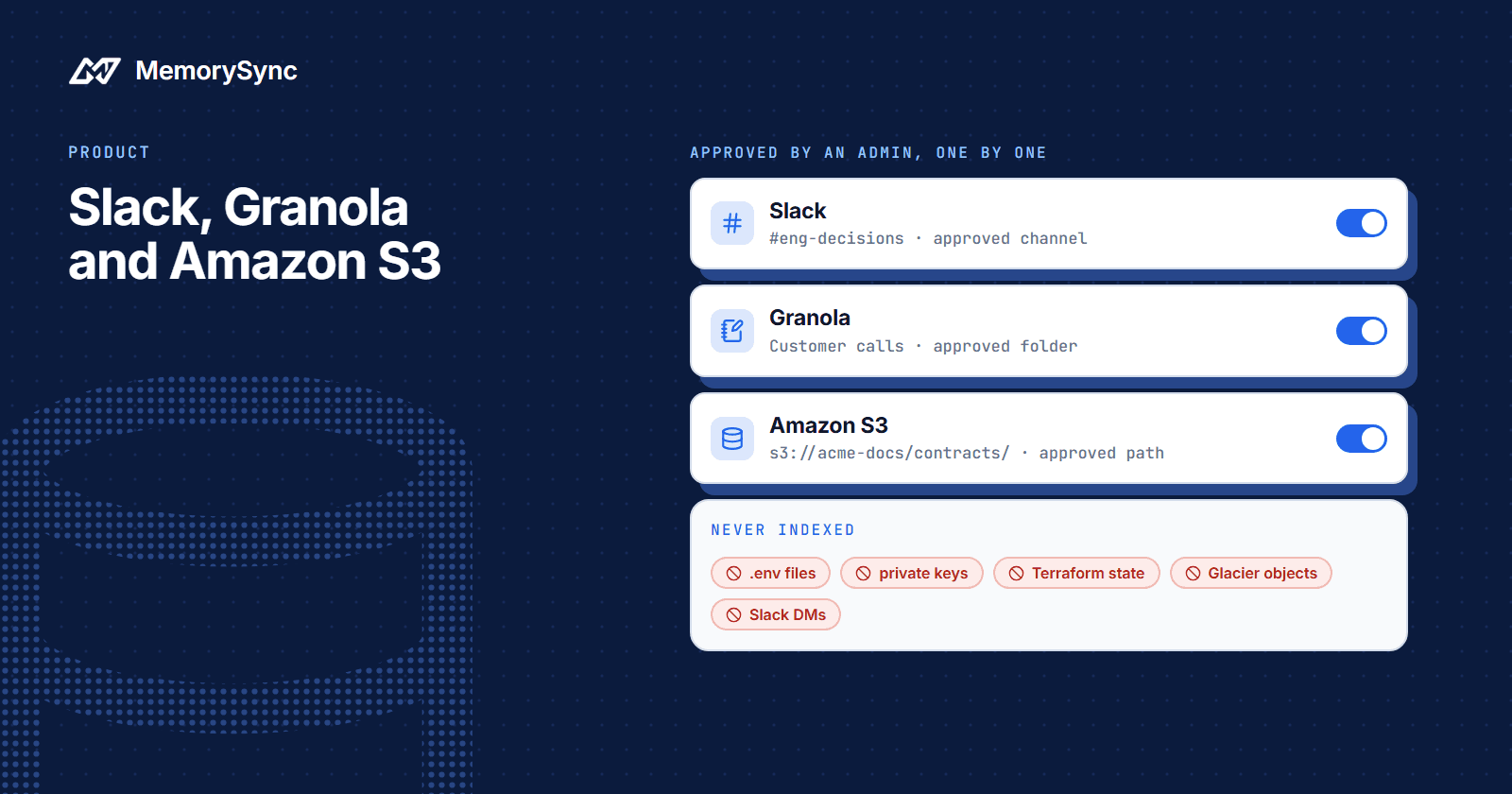
- Nothing is read until an administrator approves it. Approval is per Slack channel, per Granola folder and per S3 path.
- Credentials are redacted before indexing. A token pasted into a message or a meeting note does not become a searchable memory.
- Deletions at the source are followed. Slack sends deletion events. Granola and S3 send none, so a scheduled reconciliation pass finds removed notes and objects and purges the memories derived from them.
- Only admins and owners manage connections. Connecting, updating and disconnecting a source need the admin or owner role in your MemorySync organization.
Slack channels you approve
The Slack connector is a Slack app installed to your workspace with the channels:read, channels:history, users:read and users:read.email bot scopes. Private channels also need groups:read and groups:history. MemorySync must be a member of every approved channel, and a person has to invite it to each private one.
When you approve a channel, MemorySync backfills its history, 90 days by default, and expands threads so replies stay with the message they answer. After that, the Slack Events API delivers new messages, edits and deletions: an edit updates what was indexed and a deletion purges the memories that came from the message. Each memory keeps the author's name and a permalink back to Slack, and the text of files shared in approved channels is indexed too.
Revoking a channel stops ingestion from it. What the Slack connector does not read:
- Direct messages and group DMs. Reading another person's DMs needs that person's own authorization, which a workspace bot token does not have.
- Channels shared with an external organization. These are blocked by default.
- History Slack hides. Slack free-plan workspaces hide older history, and the backfill cannot reach messages Slack does not return.
- Most attachments. Text is read from common document and text formats up to a size limit; other files are recorded as metadata only.
The Slack connector page covers installing the app and approving channels.
Private channels and folders
Public channel memories are readable across your organization, like other connector memories. Private channels are a separate case, and they are off by default.
When private channels are enabled, a private channel's memories are readable only by the channel's current Slack members. Membership is resolved at query time, so access follows the channel's members as they are today. Each member also needs a MemorySync account linked to their Slack identity, and members without one do not see the channel's memories.
Granola private folders work the same way and are also off by default. When enabled, their memories are readable only by that meeting's participants, resolved at query time from the note's attendees, and the participants need linked MemorySync accounts.
Granola meeting notes
Granola connects with an API key that you create in the Granola desktop app under Settings, then Connectors, then API keys. Creating keys requires a Granola Business or Enterprise plan, and the webhooks the connector relies on are gated on the same plans. Use a workspace key where you can: it does not expire and is not tied to one person's account.
Only folders an administrator approves are read. A note that sits in no approved folder is never indexed. Granola's API gives no way to tell which scopes a key carries, so folder approval is the boundary.
Each note is indexed as two separate items: its AI summary and its speaker-attributed transcript. A question about what was decided can match the summary, and a question about what a customer said in their own words can match the transcript. Webhooks bring in new and edited notes, and the scheduled reconciliation purges notes deleted in Granola.
Limits: Granola only exposes notes that already have a generated AI summary, so a meeting still being processed appears on a later sync. The first backfill covers 90 days by default, and a folder exclusion policy skips folders with HR, legal and review names. Setup is on the Granola connector page.
Amazon S3 and compatible storage
The S3 connector reads Amazon S3 and S3-compatible services: Cloudflare R2, MinIO, Wasabi and Backblaze B2. It uses read-only IAM credentials for your own bucket and verifies them before the connection is saved. MemorySync never writes to the bucket or deletes from it.
A policy with only the permissions the connector uses looks like this. Remove the third statement if the bucket does not use SSE-KMS.
{"Version": "2012-10-17","Statement": [{"Effect": "Allow","Action": ["s3:ListBucket", "s3:GetBucketLocation"],"Resource": "arn:aws:s3:::acme-support-docs"},{"Effect": "Allow","Action": "s3:GetObject","Resource": "arn:aws:s3:::acme-support-docs/*"},{"Effect": "Allow","Action": "kms:Decrypt","Resource": "arn:aws:kms:eu-west-1:111122223333:key/your-key-id"}]}
Leave out kms:Decrypt on an SSE-KMS bucket and listing still succeeds while every download fails with a plain access denial. That looks like a broken connector, so check the key policy first when an S3 path syncs zero documents.
Every exclusion is decided from the bucket listing, before anything is downloaded: blocked key patterns, unsupported file types, archived storage classes, oversized objects, and objects whose ETag is unchanged since the last sync. A file that will not be indexed never costs a download, and skip reasons are reported per path, so a low document count can be explained.
Within an approved path, the connector reads PDF, Office, Markdown and plain-text files. It always skips two kinds of object:
- Glacier and Deep Archive objects, because reading them needs an explicit restore.
- Keys that look like credentials:
.envfiles, private keys, Terraform state and.sshcontents. This exclusion applies to every organization and cannot be turned off.
The connector gets no change notifications from S3, so new and removed objects are picked up by the scheduled sync and a periodic reconciliation. S3 memories are readable across the organization, because object storage carries no per-user permission model to narrow them with. Details are on the S3 connector page.
Before you connect
- Slack: list the channels you want, invite the app to each one, and decide whether you need private channels at all.
- Granola: confirm the Business or Enterprise plan, create a workspace API key and choose the folders to approve.
- S3: create a read-only IAM user with the policy above, add
kms:Decryptfor SSE-KMS buckets, and write down the paths to approve.
The integrations overview has the setup for every connector in one place.