When a Fact Changes: Supersession and Its Limits
When Sam moves city, MemorySync replaces the old fact. When a service changes databases, it does not. How supersession works, where it stops and what to do about it.
Published on 5 min read
On this page
People move house, change their minds and switch tools. A memory layer that keeps every old value will eventually tell an assistant that Sam lives in two cities at once.
MemorySync handles part of this on its own and leaves the rest to your application. This post shows both halves with calls we ran against production for one end user, sam.
Sam moves and switches themes
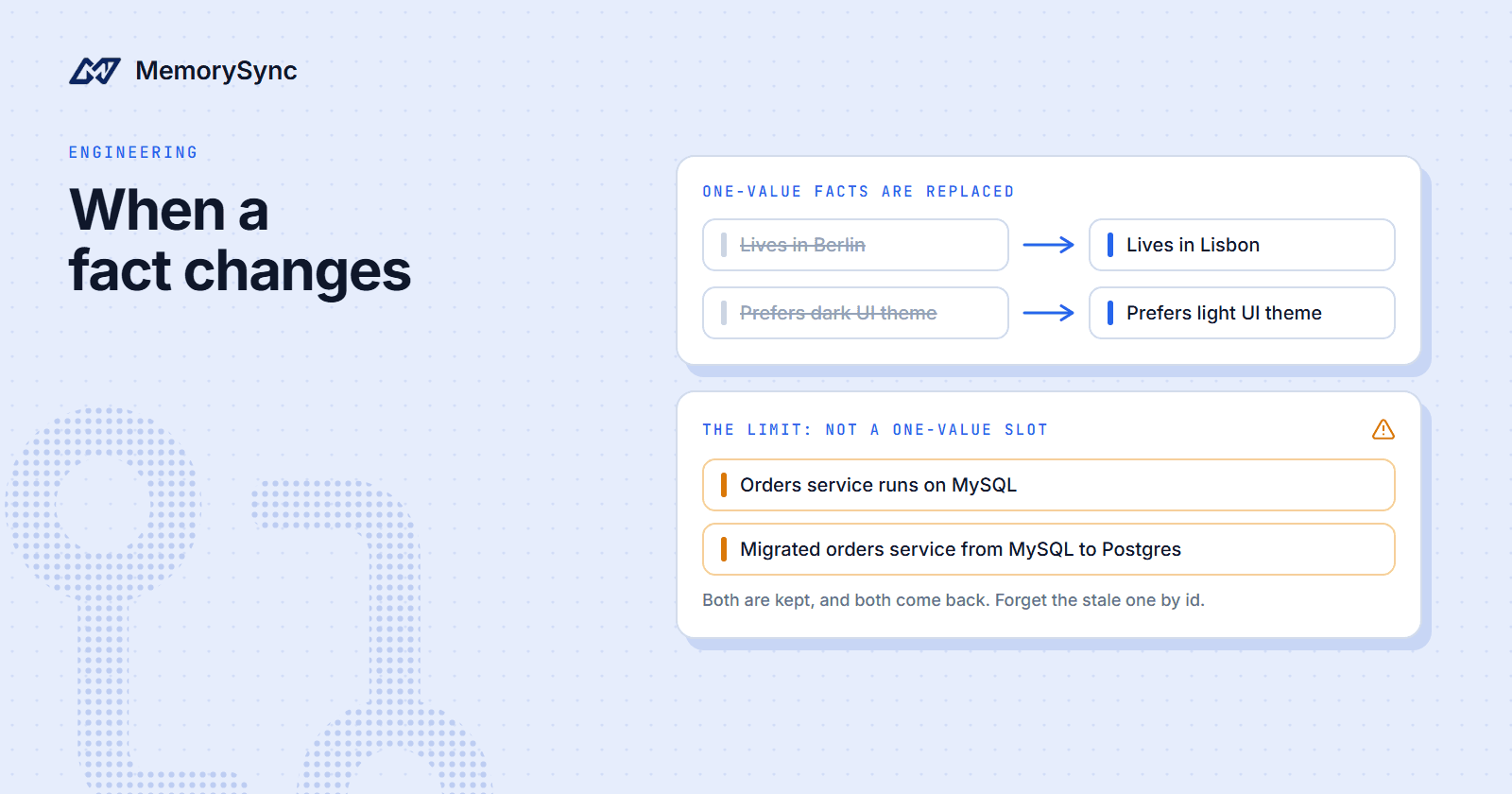
Sam first said "I live in Berlin." and later "I moved to Lisbon last month." Separately, Sam said "I prefer dark mode in every editor." and later "I switched to light mode, dark mode strains my eyes now." Afterwards, these queries returned:
result = ms.query("Where does the user live?", k=5)[m.text for m in result.memories] # ['Lives in Lisbon']result.context # 'User Facts:\n- city: Lisbon'result = ms.query("Which UI theme does the user prefer?", k=5)[m.text for m in result.memories] # ['Prefers light UI theme']result.context # 'User Preferences:\n- ui_theme: light'
Each query returned one memory, the current one. The theme switch came back from extraction with action: "update" and supersedes: 66429, the id of the dark-mode memory. The move to Lisbon was labelled create by the model and upgraded to an update, because city holds one value.
What happens to the old memory
When a new value arrives for a one-value slot, with the same user, project, environment, type and key, the old memory is superseded:
- It is soft-deleted, so the row remains for its history.
- It is marked with
superseded_atandsuperseded_by. In the list of Sam's memories, "Lives in Berlin" carriessuperseded_by: 66426, the Lisbon memory. - Its vector is removed and search stops returning it. Superseded and deleted memories are also excluded in SQL when results are ranked.
- Its history gains a
supersededentry that names the successor.
Memory text is never edited in place. update() can change tags, importance, metadata, source and event type, but not text, so a change of content always shows up as supersession. You can read the record with history():
for rev in ms.history(66425).revisions:print(rev.revision, rev.event, rev.diff)
Entry 0 is the creation. Later entries carry the old and new value of each tracked field, and the replacement appears as a superseded event with the successor's id. For more on the record itself, see Memory History and Feedback.
Where replacement stops
Replacement applies only to one-value slots: personal attributes such as where someone lives, their job title or their UI theme. Everything else accumulates. This sequence, also for sam, shows the limit:
- "Our orders service runs on MySQL." was stored as "Orders service runs on MySQL", a fact with key
databaseand value MySQL. - "We migrated the orders service from MySQL to Postgres last week." was stored under other keys.
add()returned "Migrated orders service from MySQL to Postgres" with keyservice_migration, and the same sentence produceddatabase_fromanddatabase_tofacts. None of them uses thedatabasekey, so nothing was replaced. - "Which database does the orders service use?" returned "Orders service runs on MySQL" first and nothing else, with the context
User Facts:\n- database: MySQL. - We then stated the new value plainly: "The orders service runs on Postgres." It was stored as "Runs on Postgres database" under the
databasekey, with actioncreate.databaseis not a one-value slot, so MySQL stayed live next to it.
Asked again, the same question still returned the MySQL memory among its results, and the context block listed database_to: Postgres and database: MySQL together. The new memory had also lost its subject. "Runs on Postgres database" does not say which service, and it was not in the top five for that question.
This is the documented behaviour. Replacement is narrow on purpose: a second favourite food is not a contradiction, and treating it as one would delete real preferences. The cost is that facts about systems and projects pile up, and old values stay retrievable until something removes them.
Retire stale facts by id
Your application often knows a fact is obsolete before anyone says so: a settings change, a finished migration ticket, a closed account. When it does, delete the old memory by id rather than waiting for a new sentence to replace it. Keep the id when you write a fact you may retire later:
from memorysync import AddSkippedResponseresult = ms.add("The orders service runs on MySQL.")if not isinstance(result, AddSkippedResponse):service.database_memory_id = result.id # stored on your own record# Later, when the migration ticket closes:ms.forget([service.database_memory_id], reason="orders service moved to Postgres")ms.add("The orders service runs on Postgres.")
forget() takes ids or filters, never both, and returns the ids it deleted. It is scoped to the calling end user, so it cannot reach anyone else's memories.
State the current value
The migration sentence described a change, and extraction filed it as one: service_migration, database_from, database_to. The two sentences that stated a value directly, "runs on MySQL" and "runs on Postgres", both landed on database.
When your application writes on the user's behalf, write the current value as a plain statement, such as "Prefers light UI theme" from a settings toggle, rather than the story of how it changed. For one-value slots, that is what lets replacement find the old memory. For everything else it at least puts the old and new values under one key, where a review can see them side by side.
The write-path post walks through how extraction assigns those keys.
Review conflicts and demote mistakes
Some conflicts only show up when you look for them. On the hosted MCP server, get_related_memories follows the typed relationships out from one memory, and relationship_types restricts it to contradictions:
{"jsonrpc": "2.0","id": 2,"method": "tools/call","params": {"name": "get_related_memories","arguments": {"memory_id": "m_66432","relationship_types": ["contradiction"]}}}
The audit_memory prompt takes a memory id, shows that memory next to everything recorded as contradicting it, and asks which version is current. An empty answer only means that no contradiction was recorded.
When a memory is wrong but you want to keep it on record while you decide, lower it with feedback:
ms.feedback(memory_id, "negative", comment="wrong service")
Negative feedback lowers the memory's importance, which is a ranking factor. Importance is clamped to [0.05, 1.0], so feedback demotes a memory but never makes it unreachable. For a fact that is simply obsolete, forget() is the right tool.
Next step
List the facts in your product that change but are not personal attributes, and decide which part of your system retires each one. The memory lifecycle page in the docs covers the controls available.