Memory History and Feedback: See Why a Memory Changed
Read the recorded history of any memory, send feedback that moves its ranking, and add your own memory types. Here is how to use all three to debug an answer.
Published on 6 min read
On this page
Sam's meal-planning assistant refuses to suggest a satay recipe and explains that Sam is allergic to peanuts. Sam asks where that came from, and the developer looking into it needs two answers: when the assistant learned it, and whether the memory has changed since.
On August 10 we shipped three tools for questions like these: a recorded history for every memory, a feedback call that moves a memory's ranking, and an ontology that lets your organization add its own memory types.
Read a memory's history
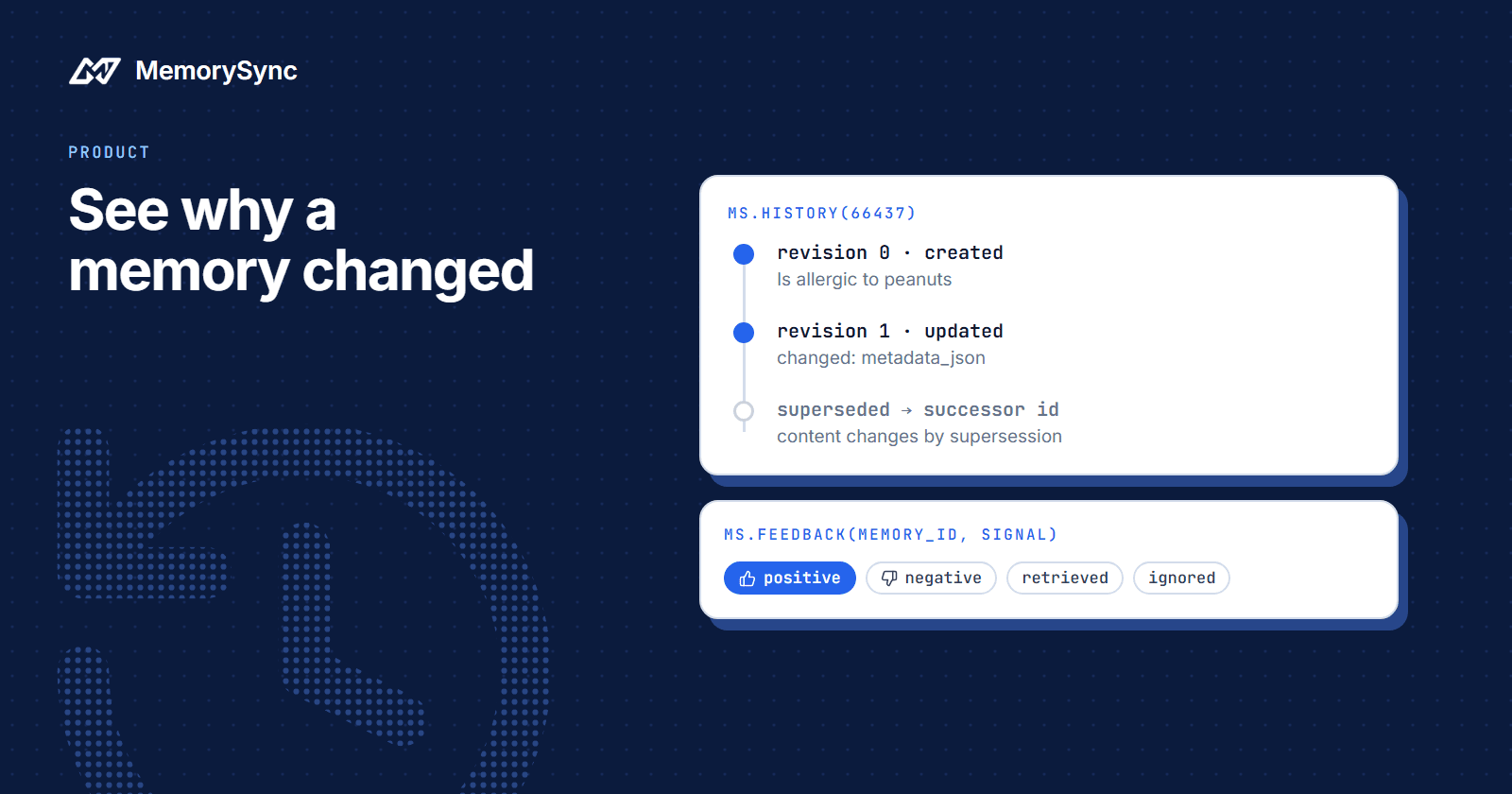
GET /memory/{id}/history returns the recorded changes to one memory, oldest first. In the Python SDK it is history(), with limit (default 100) and offset for paging:
from memorysync import MemorySyncClientms = MemorySyncClient(api_key="...",base_url="https://api.memorysync.io",end_user_id="sam",)history = ms.history(2187)for entry in history.revisions:print(entry.revision, entry.event, entry.changed_fields, entry.actor)print(history.tracked_fields)
A new memory usually has two entries. This is the response for the peanut memory, with the metadata trimmed for length:
{"memory_id": 2187,"total": 2,"revisions": [{"revision": 0,"event": "created","changed_fields": [],"diff": {},"actor": null,"created_at": "2026-08-12T09:14:03.218406Z"},{"revision": 1,"event": "updated","changed_fields": ["metadata_json"],"diff": {"metadata_json": {"old": {"source": "api","_raw_text": "Is allergic to peanuts","extraction": { "type": "fact", "key": "allergy", "value": "peanuts", "action": "create" }},"new": {"source": "api","_raw_text": "Is allergic to peanuts","extraction": { "type": "fact", "key": "allergy", "value": "peanuts", "action": "create" },"token_count": 2,"preprocessing_timestamp": "2026-08-12T09:14:07.441870+00:00"}}},"actor": null,"created_at": "2026-08-12T09:14:07.437512Z"}],"tracked_fields": ["archived_at", "cluster_id", "content_type", "deleted_at", "event_type","expires_at", "extracted_key", "extracted_type", "hard_delete_queued_at","importance", "is_summary", "metadata_json", "parent_id", "purged_at","retention_status", "soft_deleted_at", "source", "summary_of", "tags", "tier"]}
How to read it:
- Revision `0` is the creation. The server builds it from the memory's
created_at, so it always comes first. - Later revisions are recorded changes. Each one lists
changed_fieldsand adiffwith theoldandnewvalue of each field. - `actor` is `null` for background workers. Revision 1 here is a worker adding processing metadata shortly after the write. A worker has no request behind it, so a null actor is expected.
- Events are
created,updated,superseded,soft_deleted,restored,archivedandpurged. - `tracked_fields` lists what is recorded. Only fields that matter to a reader are tracked, and without this list you could not tell an unchanged field from an untracked one.
The memory text itself, Is allergic to peanuts, is the short sentence extraction produced from what Sam said. The extraction block in the metadata shows how it was filed: type fact, key allergy, value peanuts.
Text has no history
No operation edits the text of a memory. update() changes tags, importance, metadata, source and event type, and nothing else, so a history never contains a text diff.
When a fact changes, MemorySync writes a new memory and supersedes the old one. Suppose Sam once said I live in Berlin. and later I moved to Lisbon last month. The second statement is stored as a new memory, Lives in Lisbon. The Berlin memory's history gains a superseded entry that carries the id of its successor, and search stops returning Berlin.
That gives you a trail to follow when a memory you expected stops appearing. Open the history of the memory you remember, find the superseded entry, and read the successor's history next.
Supersession has a limit worth knowing. It happens automatically for one-value facts such as a city or a UI theme. Two memories filed under different keys can both stay current, so a history with no superseded entry is an answer too: nothing replaced that memory.
Send feedback on what helped
Ranking combines semantic similarity with recency, importance and how often a memory is used. feedback() lets your application move the importance part with one of four signals:
| Signal | When to send it |
|---|---|
| positive | The memory helped the answer. |
| negative | The memory was wrong or unhelpful. |
| retrieved | The memory was shown to the user. |
| ignored | The memory was shown but not used. |
The peanut memory kept a satay recipe off Sam's plan, which is exactly its job, so the app reports that it helped:
result = ms.feedback(2187, "positive")print(result.importance_before, "->", result.importance_after)print(result.adjustment, result.influenced_ranking)
The size of the move is adaptive. Consistent signals amplify it and mixed signals damp it, and the response reports exactly what was applied in importance_before, importance_after and adjustment. influenced_ranking tells you whether the signal was allowed to change ranking at all, and adjustment is 0.0 when it was not or when the change was clamped at a bound.
Importance is clamped to [0.05, 1.0], so no run of negative feedback can make a memory permanently unreachable. Feedback is not billed. Because importance is a tracked field, a signal that moves it also shows up in the memory's history.
Send signals from your server, based on what the user actually did. A signal changes what your app retrieves later, so it should not come from a model's guess or from a client you do not control. The feedback reference lists every response field.
Add your own memory types
Every memory has a content type, such as fact, preference or intent, and links between memories have relation types, such as supports, contradiction and derived_from. Organizations can now add their own entries to both vocabularies, and extraction can then use them.
ontology = ms.get_ontology()print(ontology.builtin_content_types)print(ontology.custom_content_types)ontology = ms.update_ontology(content_types=["dietary_restriction", "recipe"],relation_types=["substitutes_for"],)print(ontology.custom_content_types)
The rules are strict on purpose:
- An update replaces your additions. Send the full list each time. Sending only
recipelater would dropdietary_restriction. - The two vocabularies are independent. Omit
relation_typesand your relation types stay as they are. - An empty list clears.
content_types=[]removes your custom content types and leaves the built-ins in place. - Built-ins always remain. They cannot be removed, because memories already filed under them would drop out of typed retrieval.
- Sending neither argument is refused. The SDK raises
ValidationErrorbefore any request goes out.
The vocabulary belongs to the organization, so a change affects every project and every end user. Treat it as an administrative change, made by whoever owns your data model.
Debugging an answer, step by step
Back to Sam and the peanuts. A practical order for any answer that looks wrong:
- Reproduce the search. Query with the same text and end user the agent used, and find the memory in the results. The raw
POST /memory/queryresponse also carries ascoring_breakdownentry per memory, withvector,recencyandimportanceamong its fields. The Python SDK'sQueryResponsekeepsmemories,contextandlatency_ms, so read the HTTP response when you need the breakdown. - Read its history. Revision 0 says when the memory was written. Later entries say what changed and whether a request or a worker changed it.
- If the memory is true but did not belong in this answer, send
ignoredornegativefeedback and let ranking adjust. - If it is false, delete it with
forget()and write the correct fact. A new value for a one-value fact supersedes the old memory on its own, and the old memory's history records the successor. - If a memory you expected is missing, look for a
supersededentry in the old memory's history and follow the successor id.
Negative feedback and deletion answer different problems. Feedback is for a memory that is true but surfaces too often. Deletion is for a memory that is wrong, because a lower score still leaves a false fact in reach.
Try it on one memory
Pick a memory your agent retrieved today and read its history; the Memory History reference describes every field and event.