Memory for Voice Agents Without Slowing the Reply
Add caller memory to LiveKit, Pipecat and ElevenLabs agents, with recall under a hard budget so a slow lookup never makes the agent late, and capture of only what the caller said.
Published on 4 min read
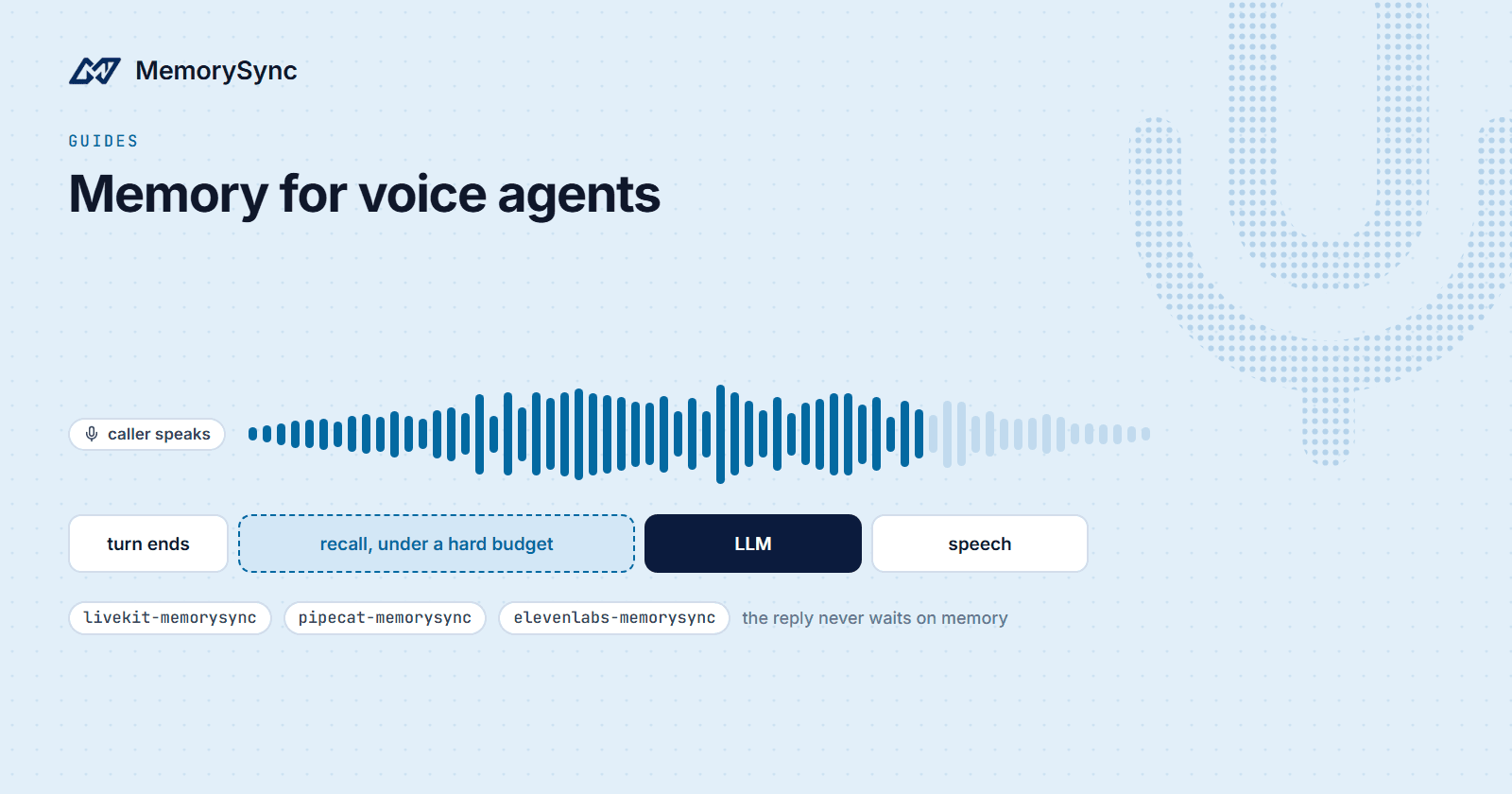
A voice agent that asks a returning caller for their account number again sounds broken. A voice agent that pauses before every answer sounds worse. Memory for voice has to do both jobs at once: know the caller, and never hold up the turn.
MemorySync has packages for three voice stacks: LiveKit Agents, Pipecat and ElevenLabs Agents. They share one design. Recall runs under a hard time budget, so the reply goes out on time with memories or without them. Only what the caller says is sent for fact extraction; the agent's own speech is not. And a memory outage degrades to "no memories this turn" instead of breaking the call.
The time budget
Server-side retrieval time for MemorySync is typically 70–300 ms, and the network path between your agent and our API adds to that depending on where you run. In a text chat that is a small part of a turn. In voice, the whole turn competes with the moment the caller expects an answer, so the integrations treat recall as optional work with a deadline.
Each package sets a recall budget you can configure. If recall finishes inside it, the memories are injected into the turn. If it does not, the turn proceeds without them and the caller never hears the difference. Tune the budget against what you measure from your region: every query response includes latency_ms, the server's share.
LiveKit Agents
pip install livekit-memorysync
Recall hooks into on_user_turn_completed, the point where LiveKit has the caller's finished utterance and has not yet called the LLM:
from livekit.agents import Agent, AgentSessionfrom livekit_memorysync import MemorySyncMemorymemory = MemorySyncMemory(api_key="ms_...", user_id="caller-42",thread_id="room-123")class Assistant(Agent):def __init__(self) -> None:super().__init__(instructions="You are a helpful voice assistant.")async def on_user_turn_completed(self, turn_ctx, new_message):await memory.on_user_turn(turn_ctx, new_message)session = AgentSession(...)memory.attach(session) # send the caller's turns as they finalize
Two details make this fit voice:
- Prefetch. With prefetch on, the default, each turn starts the next recall in the background from what the caller just said, so the following turn can inject it without waiting on the network. Pass
prefetch=Falseto recall against every new utterance instead. - Capture as turns finalize.
attach(session)sends each of the caller's turns to fact extraction when LiveKit finalizes it, with a deterministic idempotency seed so a retried or reconnected turn is extracted once. Turns LiveKit marks as interrupted are flagged as such.
The injected memory block belongs to that turn only and is never sent back for capture, so recalled context cannot re-enter memory as if the caller had said it. With speech-to-speech realtime models, where the turn boundary is synthesised from transcripts, the package's memory search tool is the better fit than turn injection. It needs livekit-agents 1.0 or newer.
Pipecat
pip install pipecat-memorysync
In Pipecat, memory is one FrameProcessor placed after the user context aggregator and before the LLM service. That position matters: enrichment only reaches the model from there.
from pipecat.pipeline.pipeline import Pipelinefrom pipecat_memorysync import MemorySyncMemoryServicememory = MemorySyncMemoryService(api_key="ms_...",user_id="caller-42",session_id="call-123")pipeline = Pipeline([transport.input(), stt,context_aggregator.user(),memory, # between the aggregator and the LLMllm, tts,transport.output(),context_aggregator.assistant(),])
Each context frame is enriched with relevant memories under the budget and pushed on time, enriched or not. Capture is delta-only: as the conversation grows, only new user messages are sent, never the whole context again, and assistant messages are never sent. When the call ends, queued sends get a bounded window to finish, so the caller's last words are not lost. It needs pipecat-ai 1.0 or newer.
ElevenLabs Agents
pip install elevenlabs-memorysync
ElevenLabs hosts the agent, so memory sits in front of your model as a Custom LLM. The package runs a small proxy that ElevenLabs calls instead of your model provider:
# server.py, the agent's Custom LLMfrom elevenlabs_memorysync import create_proxy_appapp = create_proxy_app(api_key="ms_...", # MemorySyncupstream_api_key="sk-...", # your LLM providerproxy_api_key="a-long-random-secret",)# uvicorn server:app --port 8013
On every turn the proxy injects memories under the budget and sends the caller's newest turn to fact extraction before forwarding the request upstream. It works with any OpenAI-compatible upstream. For phone calls, one line in the agent prompt, memorysync-user: {{system__caller_id}}, gives the proxy the caller's identity; the proxy strips that line before the model sees the prompt. With no identity, the proxy passes requests through and sends nothing to MemorySync.
You can also add a post-call webhook receiver, which verifies the HMAC signature on ElevenLabs' webhook and sends the caller's turns from the transcript. Running both gives live memory plus an end-of-call sweep, and turns the proxy already sent are recognised and not extracted twice. ElevenLabs must reach the proxy over HTTPS, and post-call webhooks are a workspace-level setting.
Who the caller is
Memory is only as good as the identity it is filed under. Use a stable id for the end user and a separate id for the conversation:
| Stack | End user | Conversation |
|---|---|---|
| LiveKit | user_id: your caller id | thread_id: the room |
| Pipecat | user_id: your caller id | session_id: the call |
| ElevenLabs | The prompt tag, for example the caller's number | Handled by the proxy |
A phone number works as a caller id for many products, but treat it with care: numbers get reassigned, and households share them. If callers authenticate, use your own account id once you know it.
Next step
Pick your stack and follow its guide: LiveKit, Pipecat or ElevenLabs. Each lists the budget and prefetch options and how to test them against a slow backend before you go live.