Try Persistent Memory in Your Browser
The MemorySync playground at memorysync.io/try stores a fact, survives a page reload and answers questions in your own words, on the production API with no signup.
Published on 5 min read
On this page
A memory API is hard to judge from a description. The claim that matters is that a fact told in one session comes back in the next, and the most convincing way to check it is to try it yourself before you write any code.
Today we opened a playground at memorysync.io/try that runs that check in your browser. Every button calls the production API at api.memorysync.io, there is nothing to install, and you do not need an account to start.
Three steps, one fact
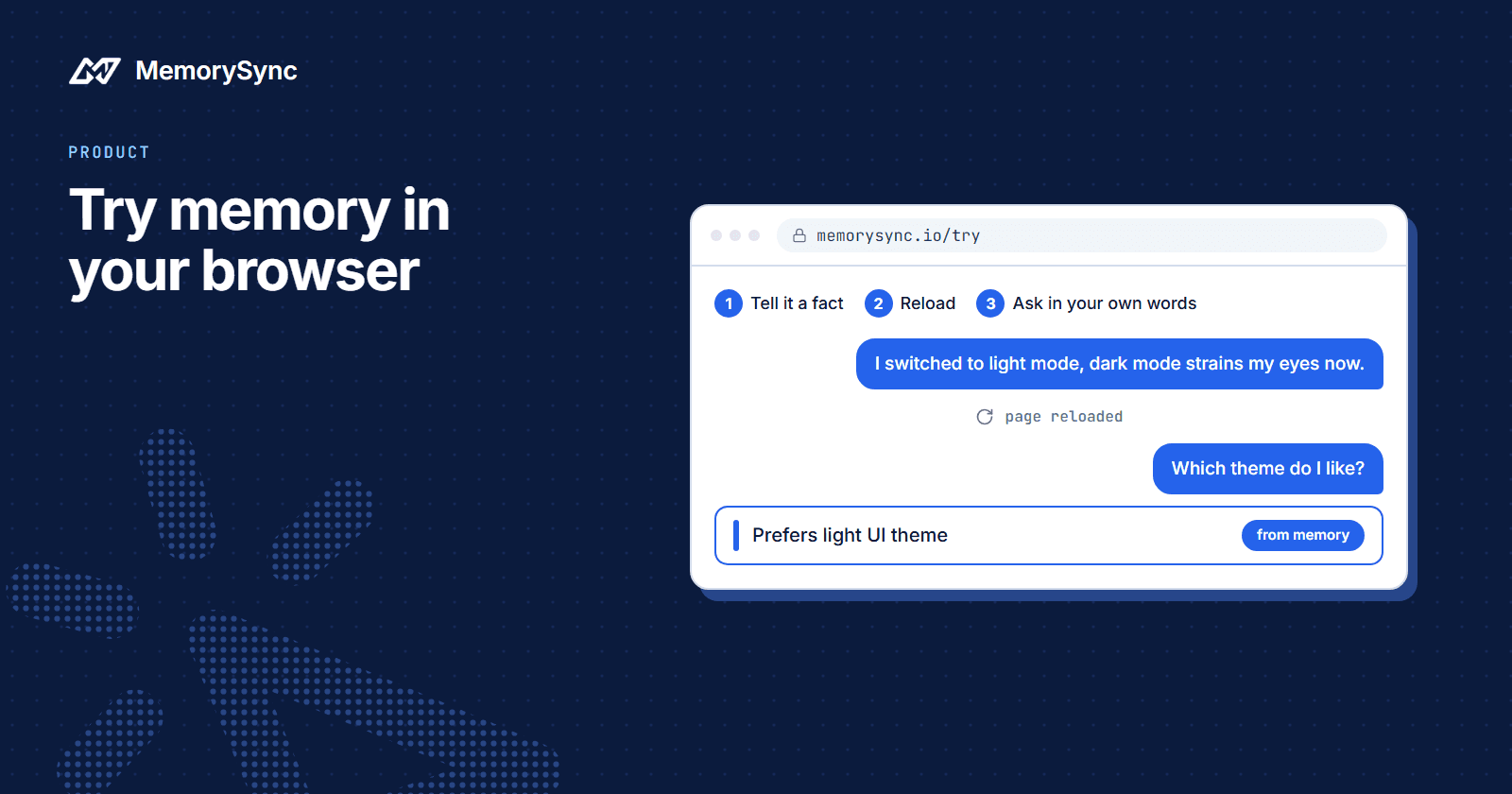
The playground is three steps:
- Tell it something. Type one fact about yourself, or start from one of the examples, and save it.
- Reload the page.
- Ask for it back, in different words from the ones you used.
Beside the steps, the API calls panel shows each request as it was sent, in cURL, Python or Node.js, with the demo key hidden, and the response that came back. Anything you see working there can be copied into your own code.
The playground uses two endpoints, one to store and one to search. Those are the same two calls an integration starts with.
What reloading proves
Reloading throws the page away, along with anything the browser was holding. If the fact still comes back, it was not kept in your browser. It is stored on MemorySync's servers, the same way it survives between your agent's sessions.
Asking in your own words tests the other half. Search is ranked by meaning, so the question does not need to share words with what you saved. Save I moved to Lisbon last month. and ask Where does the user live?, and the answer that comes back is Lives in Lisbon.
That answer is also not the sentence you typed. MemorySync extracts the durable fact from what you send and stores it as a short sentence, so I moved to Lisbon last month. is kept as the fact that you live in Lisbon.
Change a fact, then ask again
The more useful test is a change, because real users change their minds. Save these two statements in order:
I prefer dark mode in every editor.I switched to light mode, dark mode strains my eyes now.
Then ask Which UI theme does the user prefer? The search returns Prefers light UI theme and nothing about dark mode.
Here is what happened in between. The first statement was stored as a preference with the key ui_theme and the value dark. The second carried a new value for the same key, so the new memory superseded the old one, and superseded memories are excluded from search.
Automatic replacement applies to one-value facts such as a city or a UI theme. Statements filed under different keys can both stay current: after Our orders service runs on MySQL. and a later note about migrating it to Postgres, a question about the database can still return the MySQL memory first.
That limit is worth testing with your own data before you rely on it. Writing the new state plainly does not fix it either: a later The orders service runs on Postgres. was stored next to the MySQL memory, not in place of it. When your application knows a fact has changed, delete the old memory with forget() and check what a query returns afterwards.
Ask about something you never said
The last test is a question the memory cannot answer. Ask for your favourite pizza topping without ever mentioning pizza. A search can still return weakly related memories, with low scores. In one example, What is the user's favourite pizza topping? returned Prefers light UI theme with a score of 0.119, while relevant hits for the same user scored between 0.43 and 0.64.
Every result carries a score for exactly this reason. In your own app, set a score floor before you put results into a prompt, so a weak match is left out rather than presented to the model as something the user said.
While you are in the API calls panel, look at a search response. Every query response includes latency_ms, the server's retrieval time, so you can measure it from your own region. Total time also includes the network path between your application and our API, which depends on where you run.
Create and keep your own key
Until you create a key, the playground runs on MemorySync's own demo account, so please do not type anything sensitive into it. Your browser gets its own private scope, and other visitors cannot see what you save.
Create my key gives you an evaluation key with 200 writes and 500 searches, valid for 7 days. From that point the steps save to your own account, and the facts you already saved in the demo are copied into it.
Claim the key with your email to keep it. The same key keeps working, and the account moves to the free plan: 10,000 writes and 1,000 searches a month, at $0 and with no card. After claiming, sign in to the dashboard. Your memories are in Memory Explorer, and every call the key made is in Request Logs.
What the playground leaves out
The playground shows the core loop and stops there. Connectors, MCP and the framework packages are not part of it, and a handful of facts about one person behaves differently from thousands of memories across many users.
Treat it as a first check. The test that counts is your own data: a few hundred real interactions written for real end-user ids, then the queries your agent actually makes, read by hand.
Put it in your own agent
When the playground has done its job, follow the quickstart, which makes the same two calls with your own key from Python or TypeScript.