SSO, SCIM and Audit Logs on Every Plan
Every MemorySync plan, Free included, comes with SAML and OIDC single sign-on, SCIM provisioning, audit logs and SIEM forwarding. What each does, and where it stops.
Published on 6 min read
On this page
Acme's security team will not approve a new tool until three questions have answers. Can people sign in through the company identity provider? Does leaving the company remove their access? Is there a record of who changed what?
On MemorySync those answers do not depend on the plan. Every plan, including Free at $0, includes SSO with SAML or OpenID Connect, SCIM provisioning, audit logs and SIEM integrations. This post covers what each control does, how to set it up and where it stops.
Single sign-on
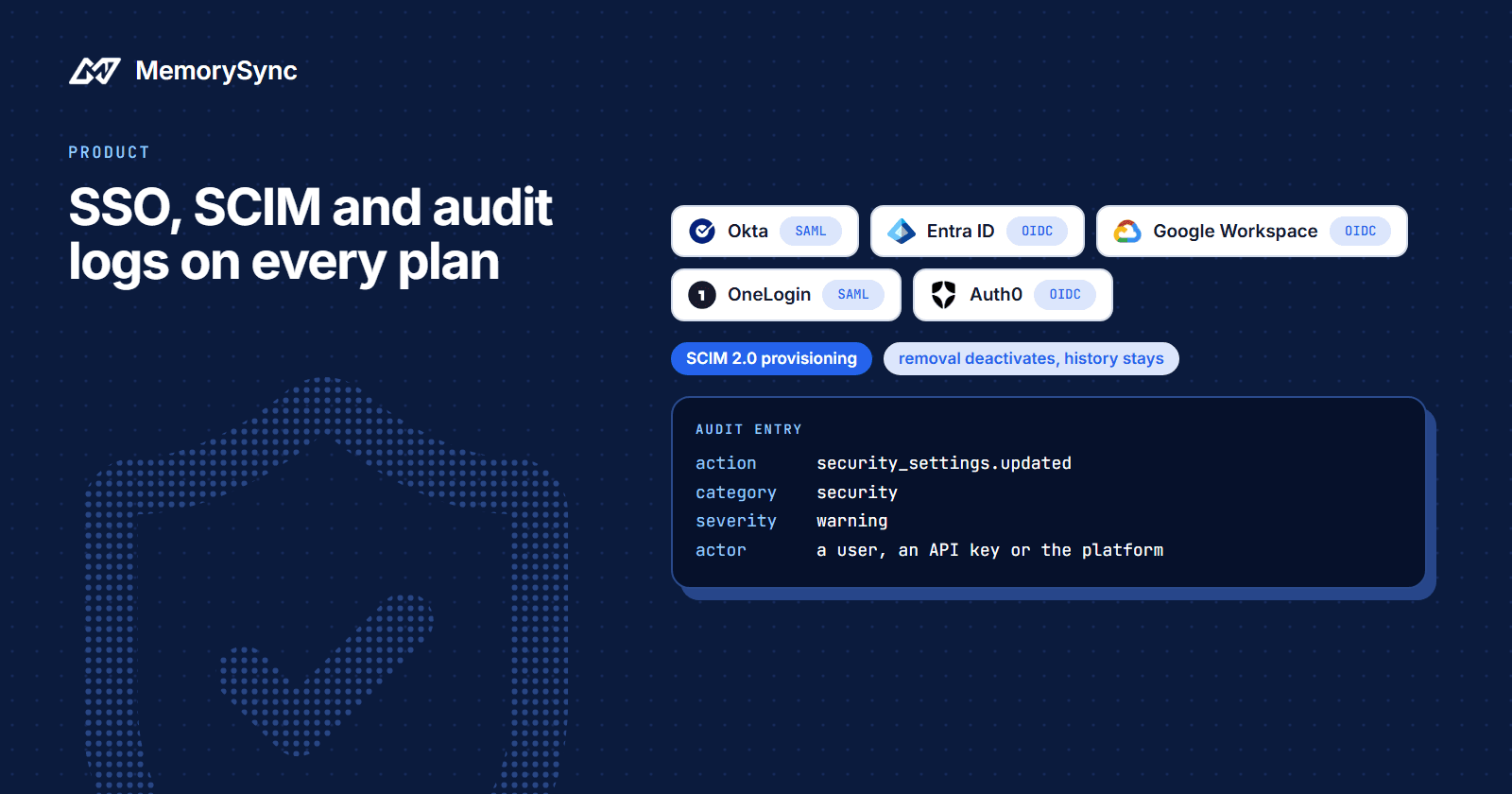
SSO governs how people sign in to the MemorySync dashboard. It supports SAML 2.0 and OpenID Connect, and Settings, SSO offers a template for each provider below:
| Provider | Protocol | What you will need |
|---|---|---|
| Okta | SAML 2.0 | Metadata or signing certificate, plus the entity id and ACS URL shown during setup |
| OneLogin | SAML 2.0 | Metadata or signing certificate, plus the entity id and ACS URL shown during setup |
| Microsoft Entra ID | OpenID Connect | Issuer URL, client id and secret, and the redirect URI shown during setup |
| Google Workspace | OpenID Connect | Client id and secret, and the redirect URI; the issuer URL is pre-filled |
| Auth0 | OpenID Connect | Issuer URL, client id and secret, and the redirect URI shown during setup |
Setup follows the same five steps for every provider:
- Verify your domain. Proving control of your email domain is what lets MemorySync route those users to your provider.
- Exchange configuration. Register MemorySync with your provider, then enter the provider details in your organization settings.
- Map attributes. Map the email and name claims so accounts are created with the right identity.
- Test with one account. Sign in as a single user before enabling SSO for everyone. OpenID Connect connections can be checked with an interactive test login first.
- Roll out. Enable SSO for the organization once the test login works end to end.
SAML assertions are signature-verified on every login, not only when the connection is created. A person's first SSO login creates their MemorySync account with your organization's default role.
What SSO does not cover
- API keys. Server-to-server calls authenticate with an API key, and enabling SSO does not change or revoke existing keys.
- Deactivation. Removing someone in your identity provider stops new logins. Their MemorySync account is deactivated automatically only if you also run SCIM.
The SSO guide has the provider-specific fields.
SCIM provisioning
SCIM 2.0 creates, updates and deactivates MemorySync accounts from your directory, so nobody files a ticket when someone joins or leaves. Settings, SCIM offers Okta, Azure AD and OneLogin, each configured with the SCIM base URL shown during setup and a dedicated provisioning token.
| Directory change | What happens in MemorySync |
|---|---|
| User added to the group | An account is created with your default role |
| Name or email changed | The account is updated in place and keeps its identity and history |
| User removed or deactivated | The account is deactivated, which ends access; its audit history is kept |
| Group membership changed | The change syncs to the organization, for managing access in bulk |
Removal deactivates rather than deletes, because erasing a departed person's audit history would leave gaps in the record an auditor reads.
The provisioning token is separate from your API keys, so you can rotate it on its own schedule. The dashboard reports recent provisioning runs and failures, and a failing sync usually means a revoked token or a changed directory permission. Most organizations run SCIM and SSO together: SCIM decides who has an account, and SSO decides how they sign in. See the SCIM guide.
Roles and least privilege
Roles decide what a member can do inside the organization:
- Owner: full control, including billing and deleting the organization. Give it to one or two people.
- Admin: members, security settings, integrations and projects, everything except owner-only actions. Connecting or disconnecting a data source needs this role or Owner.
- Developer: API keys, projects and memory data, for the engineers integrating MemorySync.
- Analyst: read-oriented access to memory, usage and activity, for people who review data without changing configuration.
- Billing: plans, invoices and payment details, with no access to memory data.
- Member: baseline access to the workspace.
When the built-in set does not fit, define a custom role with exactly the permissions a job needs. Start people on the least privileged role that lets them work and raise it when they hit a limit. The roles guide compares them side by side.
Audit logs
Audit entries answer the questions an investigation starts with. Each one records:
- Actor: the user, the API key, or the platform itself when a scheduled job made the change.
- Action: what was attempted, including actions that were denied.
- Resource: the type and id of what was affected.
- Time and origin: when it happened, with request context such as the client address.
- Category and severity: for filtering and for routing entries to a security platform.
actor user 4821 (or an API key prefix, or "system")action security_settings.updatedresource organization / 118category security severity warningoccurred 2026-08-01T14:20:11Z
Entries cannot be edited or deleted through the product. Retention is configured in Settings, Audit, and entries older than your window are removed in the background, so export what you need before you shorten it. Memory deletions are covered too: POST /v1/memory/forget writes an audit entry and emits a memory.deleted webhook event. The audit log guide covers filtering and export.
Forwarding to your SIEM
Keep the dashboard for ad hoc review and forward a copy of the trail to the security platform you already run. Destinations are configured in Settings, Audit:
| Destination | What it needs | Batch size |
|---|---|---|
| Splunk HEC | The collector URL and an HEC token | 500 events |
| Datadog Logs API | The intake URL for your site and an API key | 1,000 events |
| Custom webhook | Any HTTPS endpoint, with an optional HMAC signing secret | Configurable |
Save a destination disabled, run the test action to send a probe delivery, and enable it once entries arrive on your side. Failed deliveries are retried with growing intervals. A destination that keeps failing is disabled rather than retried forever, and each destination shows whether it is active, in error or disabled, which is where to look first when entries stop arriving. Tokens and secrets are masked after saving, so replace them rather than reading them back. The SIEM guide has the details per destination.
API keys
SSO and SCIM govern people. Services authenticate with API keys, which follow their own rules:
- Keys start with
ms_, are stored hashed, and belong to one organization. - You can rotate or revoke a key at any time.
- Keys carry scopes such as read, write and
memories:delete. A worker that only answers questions does not need delete.
Give people roles and give services keys, and never share one credential between the two. All traffic to the API and the dashboard is HTTPS only.
Where these controls stop
No certification is claimed. These are controls you configure and operate, and what they give your security review is evidence it can check for itself: who signed in, through which provider, with which role, and what they changed. Enterprise plans add custom limits and an SLA; the identity and audit controls are the same on every plan.
Two settings are worth turning on the day you adopt MemorySync, before anyone needs them: SSO, so access follows your directory, and a SIEM destination, so the record lives somewhere you already watch. The production checklist covers the rest of a launch.
Set it up
Start with single sign-on, then add SCIM and a SIEM destination from the same settings area.