A Durable Memory Backend for CrewAI
Point CrewAI 1.x memory at MemorySync with one storage argument, so crew memory survives redeploys and is shared across services, plus tools and a task-context helper.
Published on 4 min read
On this page
CrewAI 1.x has a memory system built in: agents save what they learn during a run and recall it in later tasks. By default it lives in local files next to the process. That is fine on a laptop. On a server it means memory disappears with the container, and two services running the same crew each learn alone.
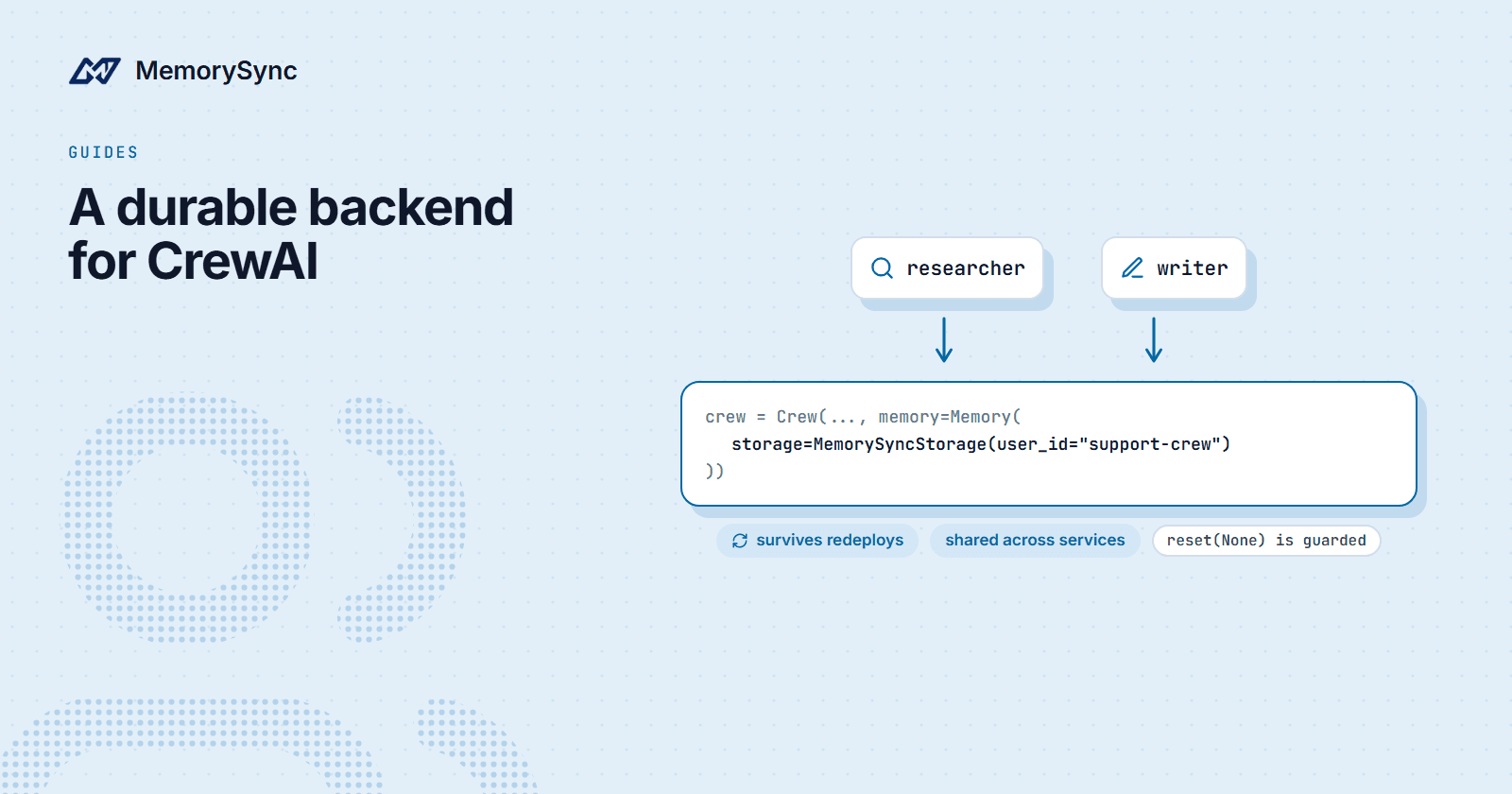
crewai-memorysync is a storage backend for that memory system. You keep CrewAI's own save and recall loop and change where it stores things: one argument to Memory, and crew memory survives redeploys and is shared by every process that uses the same user id.
Install
pip install crewai crewai-memorysyncexport MEMORYSYNC_API_KEY=ms_...
Requires crewai 1.0 or newer and Python 3.10+. Use a key with read and write scopes; deletes and resets need delete permission.
Swap the storage
from crewai import Crewfrom crewai.memory import Memoryfrom crewai_memorysync import MemorySyncStoragecrew = Crew(agents=[researcher, writer],tasks=[research_task, write_task],memory=Memory(storage=MemorySyncStorage(user_id="support-crew")),)crew.kickoff()
Nothing else in the crew changes. CrewAI still decides when to save and what to recall; MemorySyncStorage answers those calls from MemorySync instead of local files.
user_id is the scope. Every crew, process and service that passes support-crew shares one memory. Give each customer their own id, such as customer-4821, when a crew works on behalf of one customer and must not see another's context.
If you would rather configure it once at startup, register the backend by name:
from crewai.memory import Memoryfrom crewai_memorysync import register_memorysync# Once at startup:register_memorysync(user_id="support-crew")# Anywhere in the process:memory = Memory(storage="memorysync")
What happens to each record
CrewAI saves records: a piece of text plus metadata about which agent and task produced it. With this backend:
- Each record is kept as one value, apart from the user's memories, so CrewAI reads back exactly what it saved and search uses the same score scale and filter semantics as the default local store.
- The record's content is extracted into facts that every MemorySync surface can recall: your API code, an MCP client, or another framework using the same end user.
- An update replaces the record's facts, and a delete or reset removes them, so the facts never outlive the record they came from.
- Saves are retry-safe. There is one live value per record, so an identical save after a retry extracts nothing twice.
One caveat from CrewAI itself: it embeds queries with its own embedder. Keep one embedding model per store, or old and new records stop being comparable.
Resets are guarded
crew.reset_memories() can reach reset(None), which would erase everything that user id owns. The backend refuses that by default:
storage = MemorySyncStorage(user_id="support-crew")storage.reset() # ValueError: ... allow_full_reset ...storage.reset("/agent/researcher") # scoped resets always work# Opt in explicitly when a full wipe is really intended:MemorySyncStorage(user_id="support-crew", allow_full_reset=True).reset()
A shared memory is exactly the kind of thing one developer clears by accident for everyone. Making the full wipe an explicit flag costs a line when you mean it and saves a week when you do not.
Tools and task context
Agents can also manage memory directly. create_memorysync_tools returns structured tools that never raise; a failure comes back as text the agent can read.
from crewai import Agentfrom crewai_memorysync import create_memorysync_toolsagent = Agent(role="Personal assistant",goal="Help using what you know about the user",backstory="You remember the user's preferences.",tools=create_memorysync_tools(user_id="customer-7"),)# Agents you do not fully trust: search and list onlycreate_memorysync_tools(user_id="customer-7", read_only=True)
When a task needs known context written into its description, get_crew_context returns a prompt-ready block:
from crewai import Taskfrom crewai_memorysync import get_crew_contextcontext = get_crew_context("travel preferences", user_id="customer-7")task = Task(description=f"Plan the trip.\nKnown preferences:\n{context}",expected_output="An itinerary honouring every stated preference.",agent=planner,)
Choosing the user id
The id you pass decides who shares what. Three patterns cover most crews:
| Pattern | user_id | Effect |
|---|---|---|
| One shared crew brain | support-crew | Every run of the crew learns from every other run |
| Per customer | customer-4821 | A crew working for one customer sees only that customer's context |
| Per end user of your app | Your stable user id | The crew shares memory with the rest of your product for that user |
The third pattern is the one that pays off across a product. A fact a user told your chat assistant is available to the crew that later plans their trip, because both write to the same end user.
Next step
The CrewAI guide covers the remaining options. For how several agents should share one store without stepping on each other, read Agent Memory Best Practices From Real Workloads.